Download invoices
Download a copy of your invoice on the order page
Pro forma order invoices
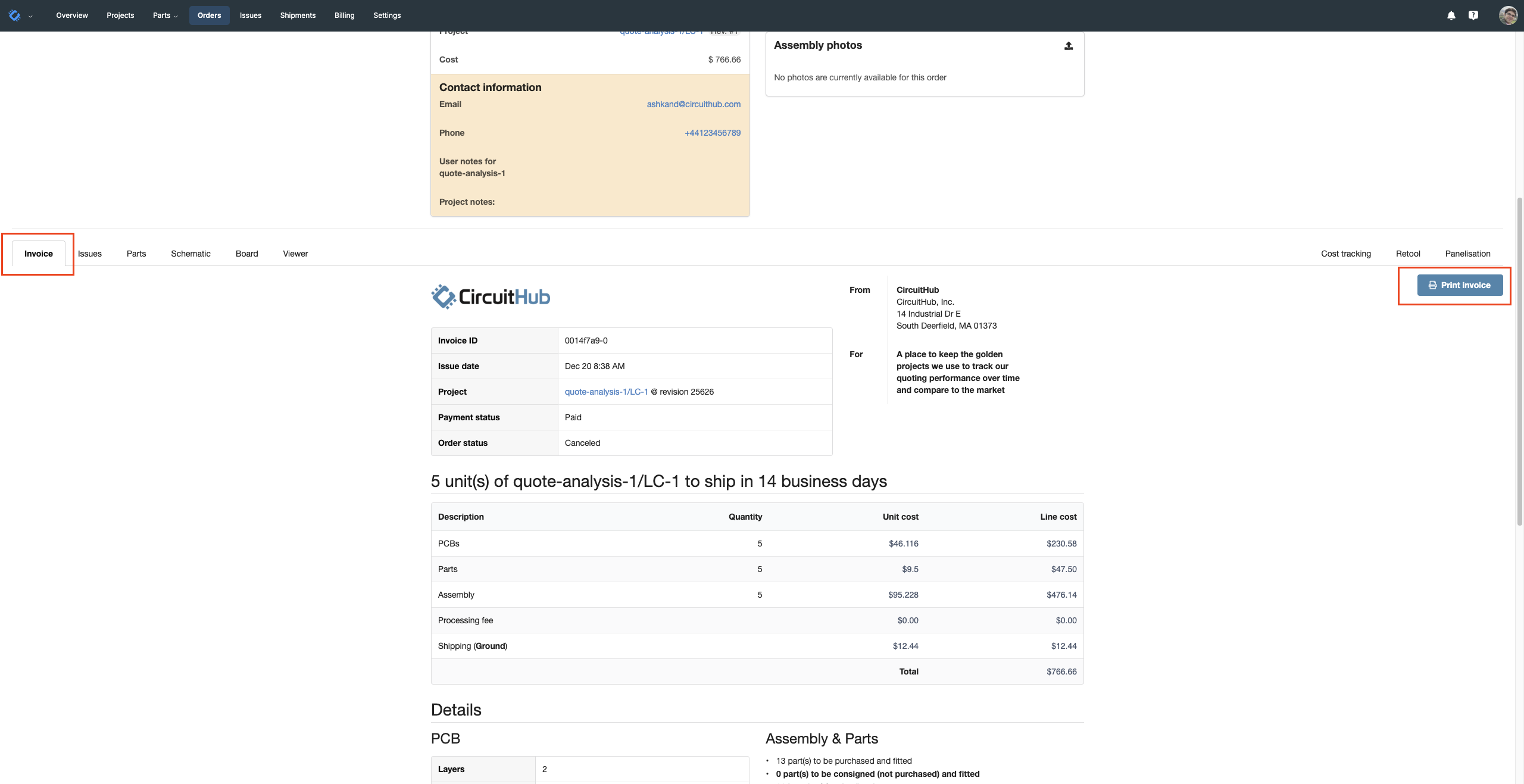
To download a pro forma invoice for an order:
- Open the order you need the invoice for.
- Go to the Invoice tab.
- Click Print Invoice.
- When the print dialog appears, change the Destination to Save as PDF and click Save.
Actual invoices (Shipments & extra charges)
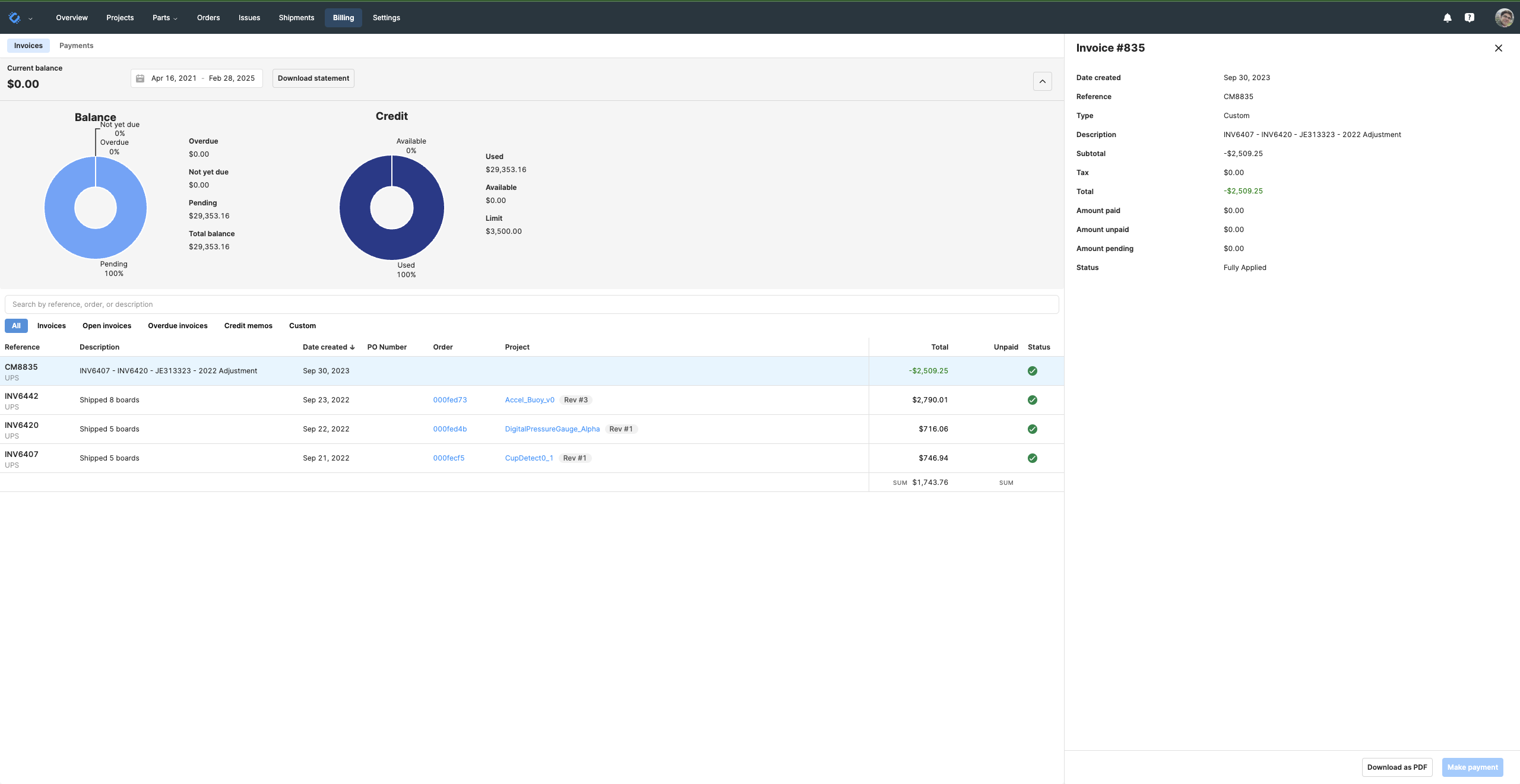
For invoices related to shipments and additional charges. In the Billing page you can view all your invoices and download the ones you need.