

Awaiting manual quote
Understand why a project needs manual quoting and how to review the settings that are preventing automatic pricing.
Awaiting manual quote means the current project configuration cannot be priced automatically. The project header shows the status, disables Proceed to order, and displays a manual-quote notice.
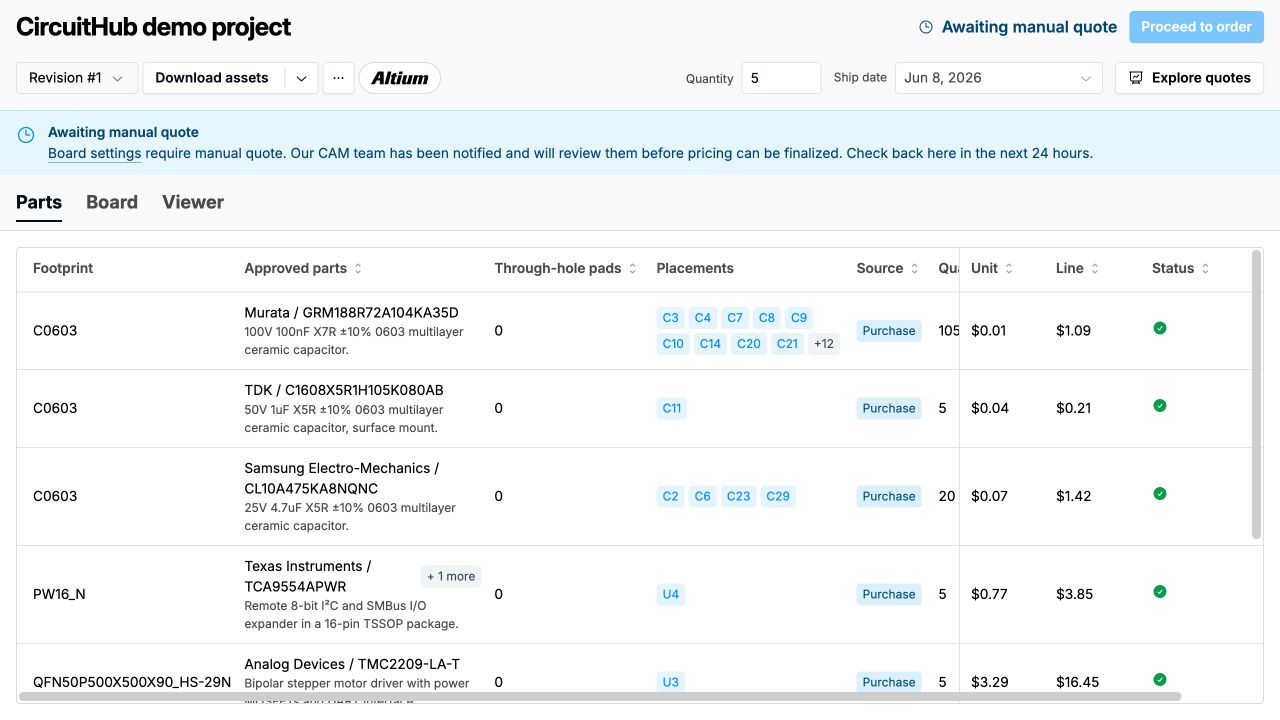
The notice links to the Board tab. Open it and expand the settings require manual quote panel to see the parameters responsible for the state.
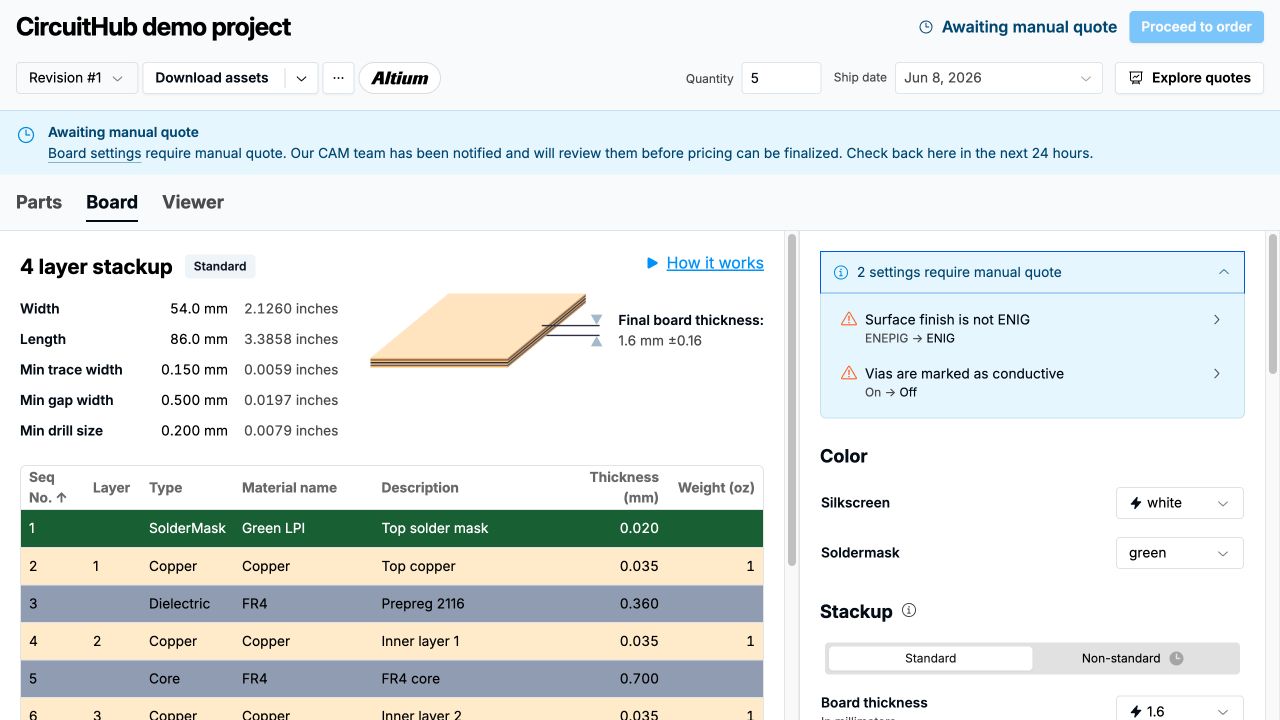
For settings that CircuitHub can change automatically, the panel shows the current value and the standard value that would restore automatic quoting. Select a listed setting to review it, then save your changes. The project will requote and automatic pricing returns if the revised configuration is eligible.
Some causes, such as custom stackups, custom requirements, or unresolved CAM comments, require review rather than a settings change. Once you save the configuration, the CAM team is notified. Plan for a review within the timeframe shown in the notice.
Use custom requirements only for board-related manufacturing requirements. If a detected board parameter is incorrect and cannot be corrected in the Board tab, contact CircuitHub with the project name, incorrect parameter, and intended value.