

Approving a part with no suggestions
How to manually reconcile a BOM line and approve a part when CircuitHub cannot auto-suggest one.
CircuitHub attempts to reconcile every BOM line automatically when you import a project. If a fitted BOM line has no approved part, open the Parts tab and select that line.
Review the value, description, footprint, and fitted reference designators before choosing a part. If CircuitHub has not found a suitable catalog match, select Find part.
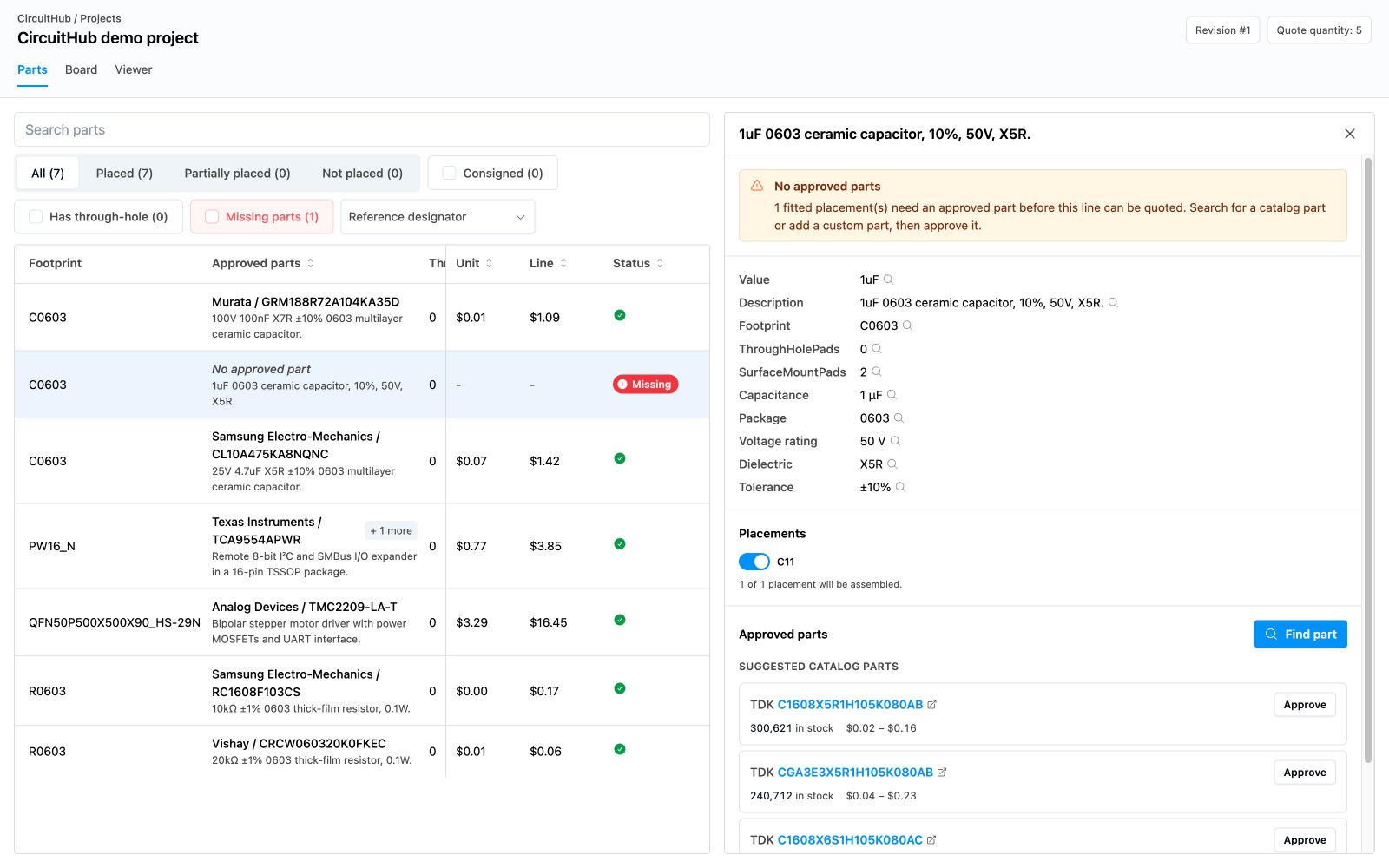
The part finder searches the CircuitHub catalog for that BOM line. Search by manufacturer part number or component specifications, then select and approve the correct part.
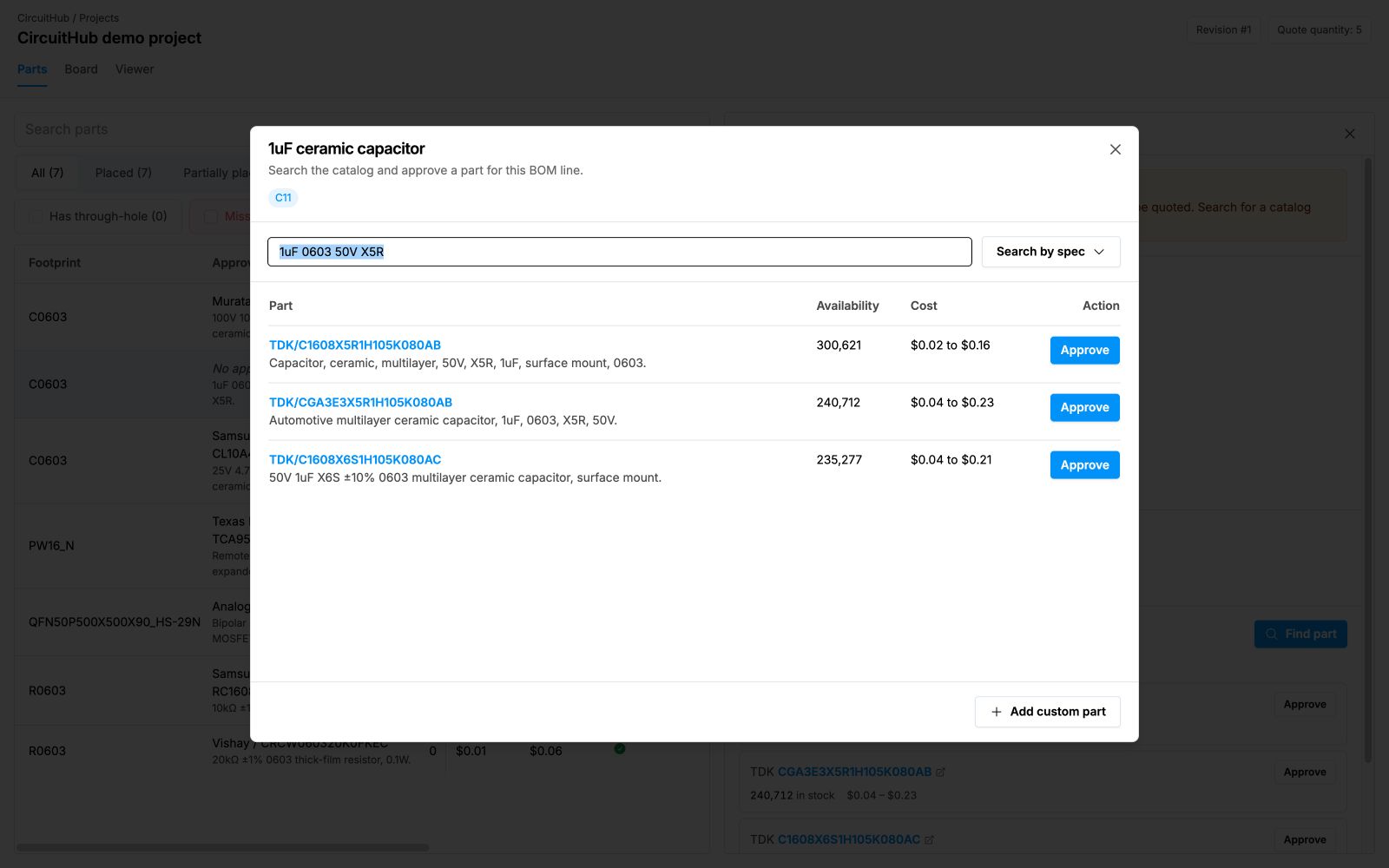
If the part is not in the catalog, select Add custom part and provide its manufacturer and part details. For unavailable parts and custom sourcing options, see Handling out-of-stock or unavailable parts.
To improve automatic matching on future imports, see Specifying part numbers in EDA tools.