

Part firmware programming
How to upload firmware files and link them to parts that need pre-programming.
For orders over 200 units, CircuitHub can automatically program firmware onto parts.
You must reach out to us prior to placing an order to ensure that we are able to provide support for your specific device.
From the project page, open Project actions and select Upload firmware.
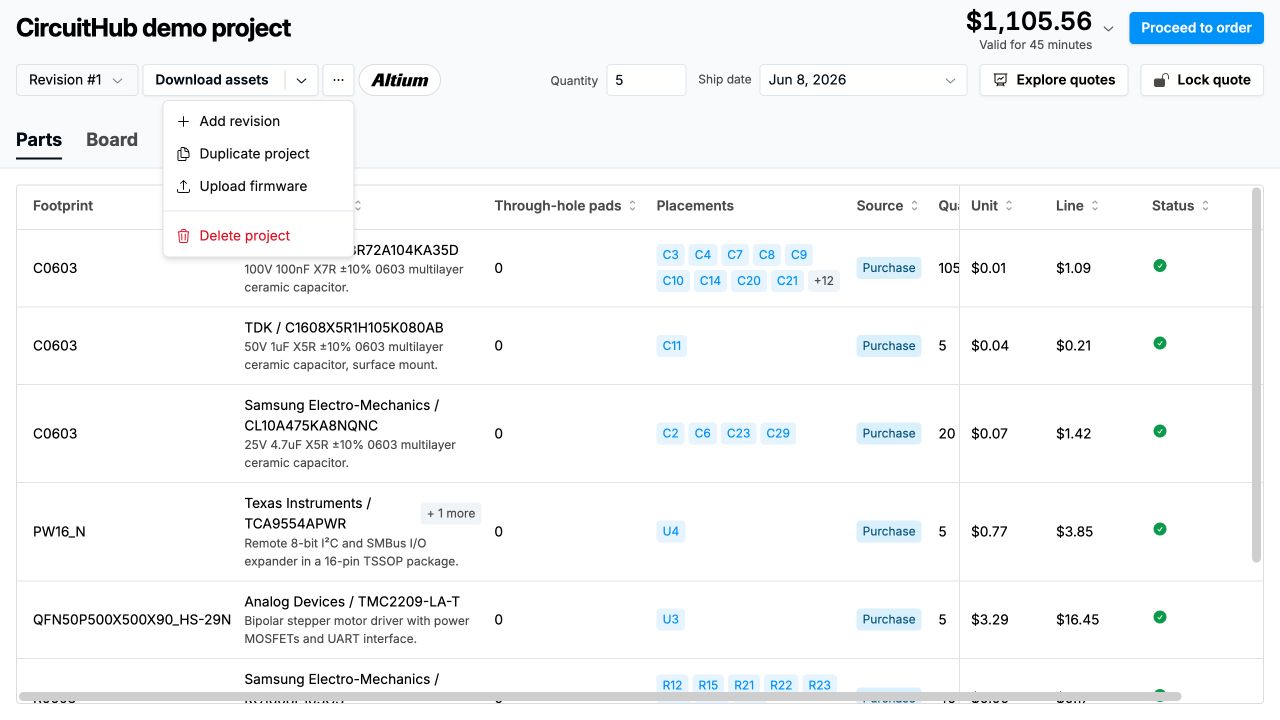
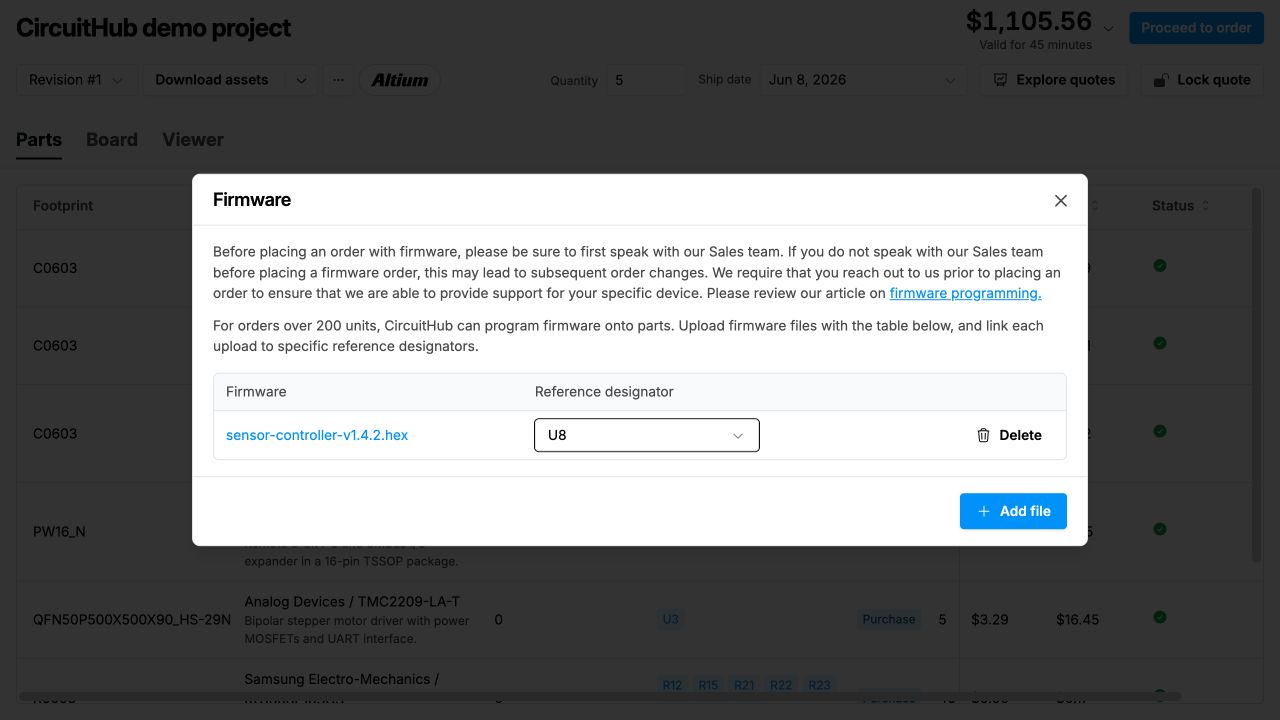
In the Firmware dialog, select Add file to upload firmware and link it to the reference designators that use it. Existing uploads appear in the table with their assigned reference designators, which you can change before ordering. You can also delete an upload and add a replacement. The firmware programming charge is included in your quote.
The devices will be pre-programmed prior to assembly; we are unable to provide programming in-house at this time. For this reason we can't program firmware on quick turn orders.
Once you place an order, a member of our manufacturing team will be in touch via the issue system to discuss the details of the firmware programming. Please note that estimated ship dates do not factor in firmware programming and adding the service to your order may add up to 10 business days to the estimated ship date shown.
Here is the programming process:
- We send the firmware to the programming house.
- The programming house programs just a few of them and sends them to us to confirm they work.
- First articles - a step we require and will need to charge a small additional fee (typically around $250 + shipping, but pricing will vary depending on number of unique parts) in addition to the firmware programming fee. We build boards with those pre-programmed chips and send them to you for functional test.
- You confirm they work and let us know.
- We tell the programming house to finish programming the chips and then they send them to us.
- We finish the production run.