

Viewing inspection photos
Find and explore the high-resolution photos we take of your boards during assembly, and why an order might not have them yet.
During assembly on our Grid line, our inspection cameras photograph every panel of boards from above and at several angles. Once our team has reviewed a panel's photos, you can open them from your order and zoom in to individual parts.
Where to find your photos
- On the order page: the Assembly photos card shows a thumbnail for the top and bottom of each finished panel, after any photos our team has added. Click a panel thumbnail to open it in the viewer.
- On the order's Panels tab: a list of every panel in the order, with the state of its top and bottom sides and a thumbnail of the latest photos. Photos show here as soon as each side has been soldered and reviewed, before the panel is finished. Click a thumbnail to open it.
- On the Panels page: choose Panels in the menu at the top of the app to see the panels of all your workspace's orders in one list. Search by panel number or order name.
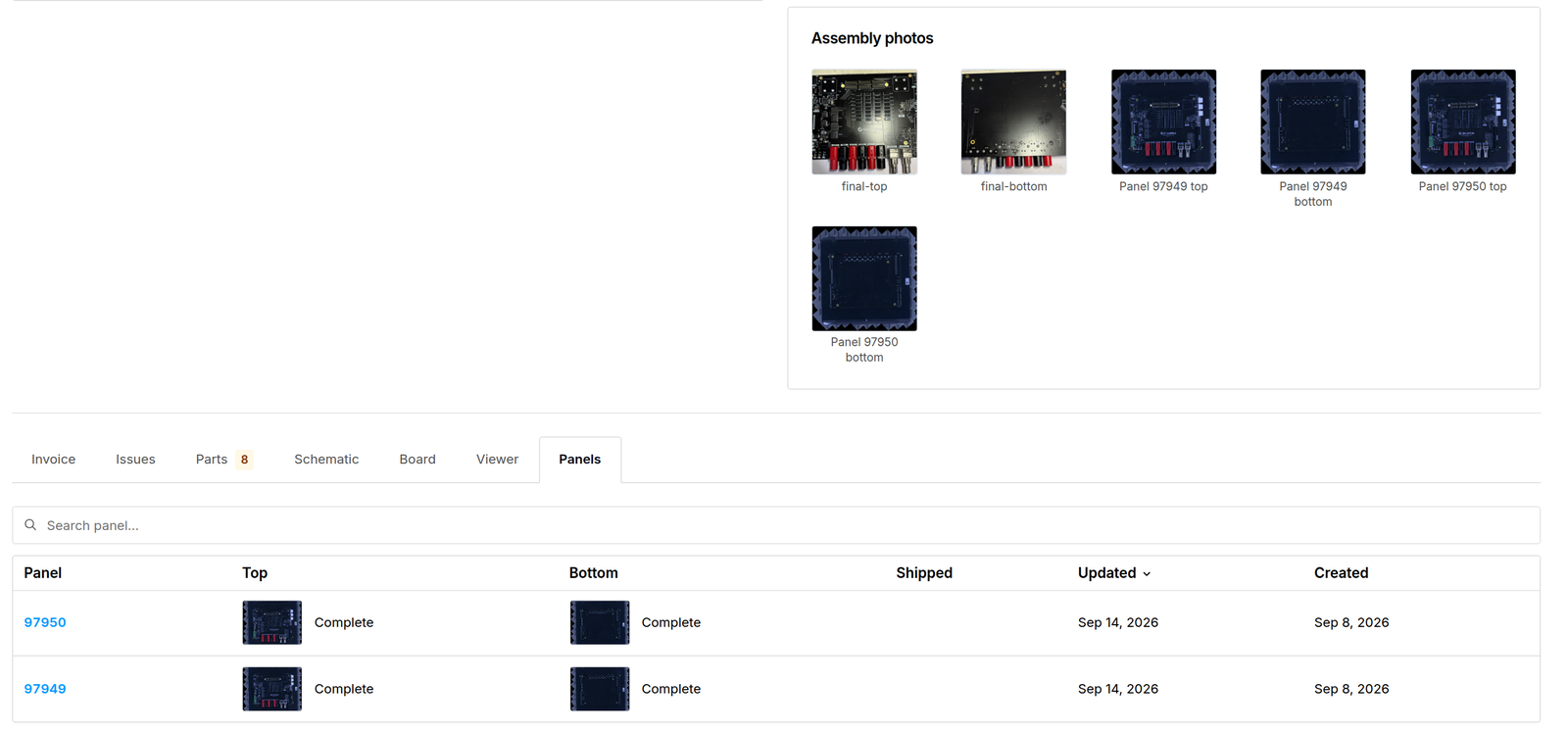
On the Orders page, the Has images filter shows only orders with photos.
Exploring a photo
The viewer opens on the overhead photo with the outline of each part drawn on it.
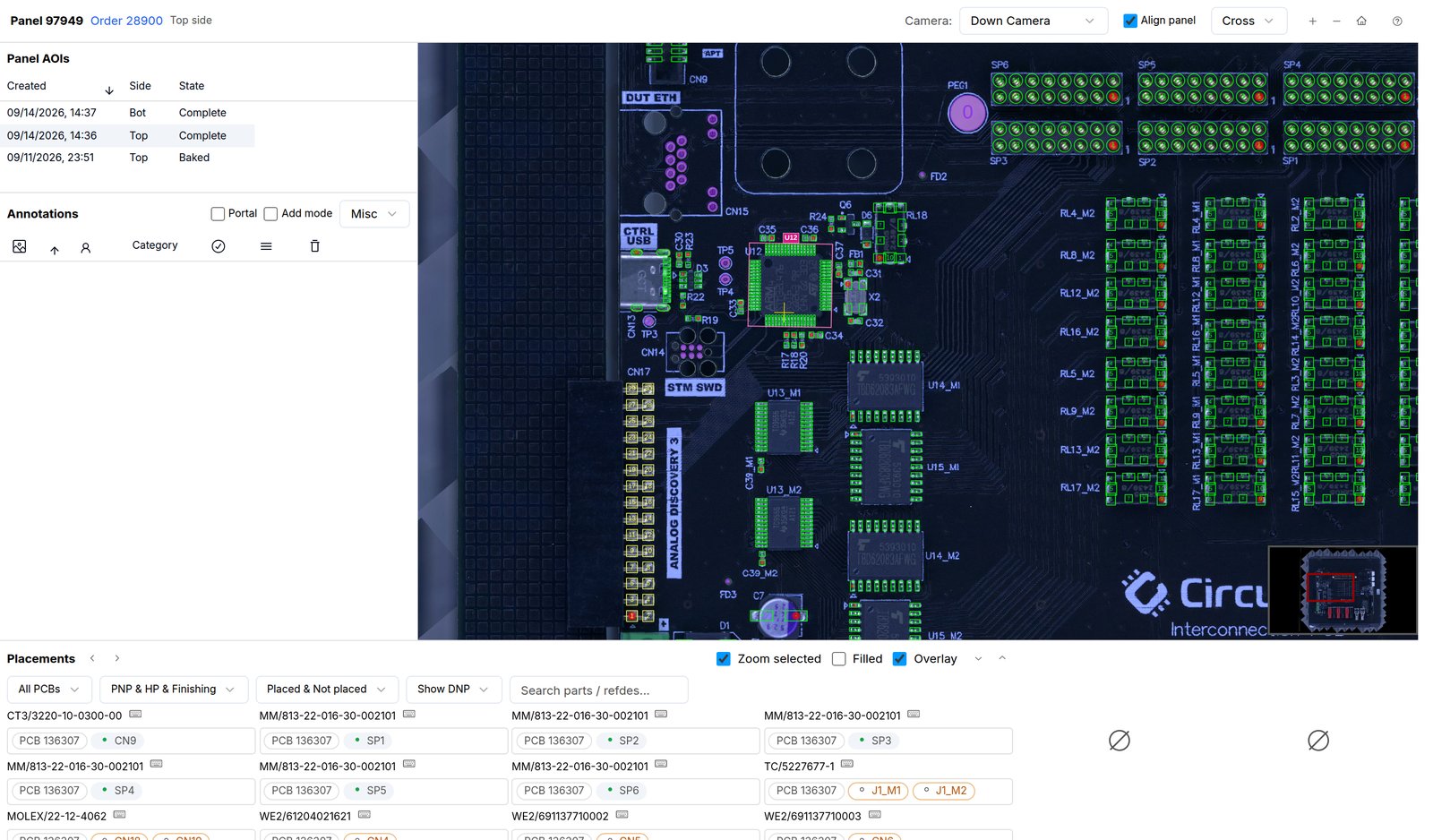
- Zoom and pan with the scroll wheel and by dragging. You can also zoom with the
+and-keys and pan with the arrow keys. PressHometo see the whole panel again. - Find a part in the Placements list below the photo. Search by part number or reference designator, and select a row to zoom to it.
- See a part from the side by choosing an angled camera in the header. Sync to Down Camera lines the angled view up with the part you were looking at.
- Switch to another photo of the same panel, such as the other side, from the list on the left.
- Add a note by right-clicking a spot on the photo. Our team can see your notes, but they don't hold or change your order. If something looks wrong, raise an issue on the order so we can look at it before it ships.
The ? button in the viewer lists every keyboard shortcut.
Why photos might not be available yet
- The panel isn't far enough along. Photos of a side appear on the Panels tab once it has been soldered and our team has reviewed and signed off its inspection. They join the Assembly photos card when the panel is finished.
- The order was built on our Conventional line. These inspection photos are only taken on the Grid line.
If an order shows "No photos are currently available for this order", check back once its panels have finished assembly, or ask on the order's Issues tab.